
Private Endpoint Azure Diagram: Architecture, DNS, Traffic Flow & Best Practices
An Azure private endpoint provides private connectivity from a virtual network to a service through an IP address from the virtual network. Azure Private Link uses the private endpoint to connect to supported Azure services, customer-owned services, or partner services without requiring the application to reach the service through its public endpoint. Traffic travels across the Azure network backbone.
A private endpoint Azure diagram should therefore show more than a private endpoint icon. A useful architecture diagram should make the following visible: the consumer Azure VNet, the subnet containing the private endpoint, the private IP address, the target Azure service, Azure Private Link, DNS resolution, application or client traffic, and optional hub-and-spoke, firewall, VPN, or ExpressRoute paths.
The most important design detail is that DNS and routing must be represented correctly. A private endpoint can have a private IP, but clients still need to resolve the service's hostname to that private address. Microsoft recommends using Azure Private DNS or another appropriate DNS design for private endpoint name resolution. See also Microsoft's private endpoint DNS configuration guidance.
Cloud Architecture
Create cloud architecture diagrams for AWS, Azure, GCP, and more. Design scalable infrastructure with professional cloud icons.
Learn how Azure private endpoints work with Private Link, VNets, private DNS, hub-and-spoke networks, traffic flows, architecture examples, and best practices.
Click Cloud Architecture to open AI Line Studio and generate diagrams from natural language in seconds.
What Is an Azure Private Endpoint?
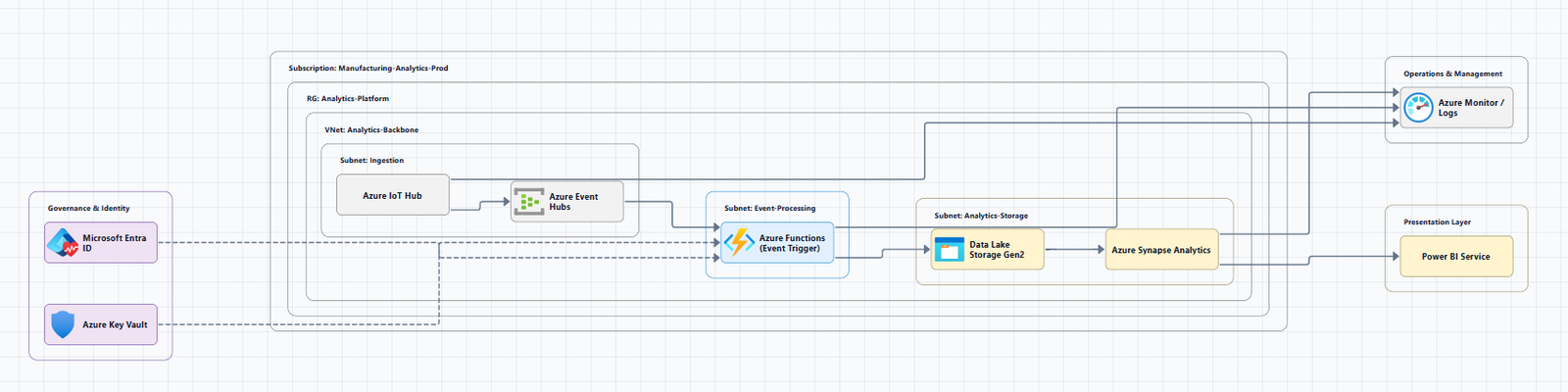
An Azure private endpoint is a network interface that uses a private IP address from your Azure virtual network to connect privately to a service through Azure Private Link.
Instead of an application connecting to a service through a publicly reachable endpoint, the application can resolve the service name to the private endpoint's IP address.
Without Private Endpoint

Application
     |
     v
Public Endpoint
     |
     v
Azure Service


With Private Endpoint

Application
     |
     v
Private IP
     |
     v
Private Endpoint
     |
     v
Private Link
     |
     v
Azure Service
This distinction is the foundation of most Azure private endpoint architecture diagrams.
Private Endpoint vs Private Link
These terms are related but should not be treated as identical.
| Concept | Meaning |
|---|---|
| Azure Private Link | Azure networking technology that provides private connectivity to supported services |
| Private endpoint | Network interface in your VNet that provides the private IP used to access the service |
| Private IP | Address assigned to the private endpoint from your VNet |
| Private DNS zone | DNS mechanism commonly used to resolve service names to private endpoint addresses |
| Consumer | The network/application accessing the service |
| Provider | The service being accessed through Private Link |
Microsoft describes the private endpoint as the private network interface used to access services through Private Link. In a diagram, a good relationship is: Consumer VNet → Private Endpoint → Private Link → Provider / Azure Service.
For a broader networking context, see the Azure networking overview.
Azure Private Endpoint Architecture Diagram
A basic Azure private endpoint architecture can be represented as:
graph LR
    App[Application / VM]

    subgraph VNet["Azure Virtual Network"]
        Subnet[Private Endpoint Subnet]
        PE[Private Endpoint / Private IP]
        App --> PE
    end

    PE --> PL[Azure Private Link]
    PL --> Service[Azure PaaS Service]
The service could be an Azure platform service that supports Private Link, such as Azure Storage, Azure SQL Database, Azure Key Vault, Azure Cosmos DB, Azure App Service, or other Azure services that support private endpoints. The exact configuration varies by service.
How an Azure Private Endpoint Works
The traffic flow is easier to understand in four stages.
1. The application requests a service hostname
For example, an application might request a hostname associated with an Azure service.
Application
    |
    | DNS query
    v
Service FQDN
2. DNS resolves the hostname
With the appropriate private DNS configuration, the hostname resolves to the private endpoint IP rather than a public address. Azure Private DNS zones provide name resolution inside linked virtual networks, and records in private DNS zones are not resolvable from the public Internet.
3. The application connects to the private IP
The application sends traffic toward the private endpoint.
4. Azure Private Link connects the application to the service
The private endpoint provides the network interface through which the application accesses the target service using Private Link. Microsoft states that traffic between the virtual network and the service travels over the Azure network backbone rather than accessing the service over its public endpoint.
Azure Private Endpoint With Private DNS
DNS is one of the most important parts of a private endpoint architecture.
The application continues to use the service's hostname, while DNS provides the private address needed to reach the private endpoint. Microsoft's private endpoint DNS guidance specifically emphasizes correctly resolving the service's fully qualified domain name to the private endpoint IP address.
Why DNS matters
Suppose an application uses my-storage-account.blob.core.windows.net. The application should not need to know the private endpoint's IP address directly. Instead, DNS resolves the hostname to the private endpoint IP, allowing the application to keep using the service hostname while the network architecture determines how that name resolves.
Azure Private DNS Zone and Private Endpoint Diagram
graph TB
    App[Application]

    subgraph VNet["Azure Virtual Network"]
        DNS[Azure Private DNS Zone]
        PE[Private Endpoint]
        IP[Private IP Address]

        App --> DNS
        DNS --> IP
        IP --> PE
    end

    PE --> PL[Azure Private Link]
    PL --> Service[Azure Storage / SQL / Key Vault]
Private DNS zones can be linked to one or more VNets, allowing resources in those linked networks to resolve records in the zone.
Where Should an Azure Private Endpoint Be Deployed?
Private endpoints can be deployed in either a hub or spoke VNet, depending on the network architecture and access requirements. Microsoft specifically documents multiple deployment patterns for private endpoints in hub-and-spoke environments. See Azure Private Link in a hub-and-spoke network and the Azure hub-and-spoke topology.
The decision depends on questions such as: Which workloads need access? Do all spokes need access to the service? Does on-premises traffic need access? Is Azure Firewall inspecting traffic? Is centralized management important? Are different workloads accessing different PaaS services? Are you using Azure Virtual WAN?
There is no universal rule that every private endpoint belongs in the hub.
Private Endpoint in a Spoke VNet
A straightforward architecture is to place the private endpoint close to the workload that consumes the service. This can be appropriate when only a particular workload needs access to the protected service.
Microsoft's guidance recommends considering least-privilege access when different workloads use different PaaS resources.
Private Endpoint in a Hub VNet
A centralized architecture can place private endpoints in a dedicated hub subnet, often alongside Azure Firewall. Microsoft identifies centralized private endpoint deployment in the hub as an option when organizations need centralized management or need to inspect/filter traffic across spokes, between hub and spokes, or between on-premises environments and Azure.
This design can simplify certain routing, SNAT, NSG, and management scenarios. However, centralization should not automatically override least-privilege requirements.
Private Endpoint in a Hub-and-Spoke Azure Architecture
A common enterprise design connects on-premises networks through VPN or ExpressRoute into a hub VNet (firewall, DNS, connectivity), with peered spoke VNets hosting applications that reach Azure PaaS through a private endpoint and Private Link.
Microsoft has a dedicated architecture guide for Private Link in hub-and-spoke networks, including considerations around endpoint placement, routing, firewalls, DNS, and on-premises connectivity.
Private Endpoint With Azure Firewall
Private endpoint traffic uses the Azure network backbone, but organizations may still want to log, filter, or inspect traffic. Microsoft specifically discusses scenarios where traffic to private endpoints needs inspection across spokes, hub and spokes, and on-premises networks and Azure networks.
In those cases, private endpoints can be placed in a dedicated hub subnet so routing and security controls can be centralized:
Spoke Application
       |
       v
   Route Table
       |
       v
 Azure Firewall
       |
       v
Private Endpoint
       |
       v
 Azure PaaS
Do not assume that placing a firewall in a diagram automatically means all private endpoint traffic traverses it. The route design must explicitly produce that traffic path.
Private Endpoint and Network Security Groups
Network Security Groups can be part of the private endpoint architecture. Microsoft notes that an NSG can be used in the subnet containing private endpoints to restrict access from hub or on-premises networks.
The security model should be based on the actual sources, destinations, and required traffic flows rather than simply adding NSGs to every subnet.
Azure Private Endpoint Traffic Flow
A useful private endpoint diagram should distinguish DNS traffic from application traffic:
                 1. DNS Query
Application ----------------------> Private DNS
     |                                  |
     |       2. Private IP              |
     <----------------------------------+
     |
     | 3. Application Traffic
     v
Private Endpoint
     |
     v
Private Link
     |
     v
Azure PaaS Service
This is much more informative than an architecture diagram containing only VNet → Private Endpoint → Azure Service. The DNS path explains why the application reaches the private endpoint, while the network path explains how the application reaches the service.
Azure Private Endpoint With On-Premises Connectivity
Private endpoints can also be part of hybrid architectures: On-Premises → VPN / ExpressRoute → Hub VNet → DNS / Routing → Private Endpoint → Private Link → Azure PaaS.
Microsoft specifically recommends considering hub placement when an on-premises system needs to access a private endpoint, because centralization can simplify security and management. DNS becomes especially important in hybrid environments because the on-premises client must resolve the appropriate service name to the private endpoint address.
Azure DNS Private Resolver With Private Endpoints
Larger hybrid environments may use Azure DNS Private Resolver to integrate DNS resolution between Azure and on-premises networks.
On-Premises
     |
     | DNS
     v
DNS Private Resolver
     |
     v
Hub VNet
     |
     +-------------------+
     |                   |
 Private DNS         Spoke VNets
     |                   |
     +---------+---------+
               |
               v
       Private Endpoint
               |
               v
          Azure PaaS
Microsoft documents centralized DNS Private Resolver architectures in hub-and-spoke environments, including Private Resolver endpoints and rulesets. This can be particularly useful when Azure workloads need to resolve both Azure private zones and on-premises DNS namespaces.
Azure Private Endpoint Architecture for Azure Storage
One common use case is private access to Azure Storage. Show the application VNet, private endpoint subnet, private endpoint, private IP, DNS, storage account, and Private Link.
Application
     |
     v
Private DNS
     |
     v
Private Endpoint
     |
     v
Azure Private Link
     |
     v
Azure Storage
The same visual pattern can be adapted to other supported Azure services.
Azure Private Endpoint Architecture for Azure SQL
For Azure SQL Database, the same pattern applies: Application VNet → Private DNS → Private Endpoint → Private Link → Azure SQL Database.
A more complete enterprise design might add on-premises connectivity through ExpressRoute or VPN, a hub with firewall, and a spoke hosting the private endpoint. The diagram should make it clear whether the SQL service is accessed directly from a spoke or through centralized network controls.
Private Endpoint vs Service Endpoint
These two Azure networking concepts are frequently confused.
| Feature | Private Endpoint | Service Endpoint |
|---|---|---|
| Uses private IP in VNet | Yes | No |
| Uses Private Link | Yes | No |
| Traffic path | Private endpoint / Azure backbone | Azure backbone |
| Provides private endpoint NIC | Yes | No |
| Service remains publicly addressable | Can restrict public access depending on service/configuration | Service endpoint doesn't itself create a private IP |
| DNS changes | Commonly required | Generally not the same private DNS model |
| Cross-network design | Flexible depending on service/topology | More limited |
| Typical purpose | Private access to supported services | Secure service access from selected VNets |
For a private endpoint architecture page, keep these concepts separate. A service endpoint is not simply an older name for a private endpoint.
Azure Private Endpoint Design Considerations
1. Plan the subnet
Choose a subnet deliberately for private endpoints. Consider the number of endpoints, address space, NSG requirements, routing, centralization, and future services. Microsoft's hub-and-spoke guidance describes dedicated private endpoint subnets as one option when centralized inspection and management are required.
2. Design DNS before deployment
Do not treat DNS as an afterthought. Determine which private DNS zones are required, which VNets need to resolve them, whether DNS is centralized, whether on-premises DNS must resolve Azure private endpoints, and whether Azure DNS Private Resolver is appropriate.
3. Decide hub vs spoke placement
Ask who needs access to this service. If one workload needs a private endpoint, deploying it near that workload may be appropriate. If many workloads and on-premises systems need access, centralized placement may simplify operations.
4. Consider least privilege
Centralization isn't always the best answer. If different workloads use different protected resources, placing every private endpoint in one central subnet can provide broader connectivity than necessary.
5. Document the traffic path
Your architecture diagram should answer: Who initiates traffic? Which DNS system resolves the hostname? What IP address is returned? Where is the private endpoint? Does traffic pass through a firewall? How does it reach the Azure service?
If the diagram cannot answer these questions, it probably needs more detail. For multi-service designs, an AI cloud architecture diagram generator can help visualize the broader cloud architecture around private endpoints.
Common Azure Private Endpoint Diagram Mistakes
- Showing Private Link without the private endpoint, Use VNet → Private Endpoint → Private Link → Service rather than treating "Private Link" as the name of the network interface.
- Ignoring DNS, Show VM → DNS → Private IP → Private Endpoint → Service.
- Assuming private endpoint means "no routing required", Private endpoints still participate in the virtual network routing model. A private endpoint deployed in a spoke introduces a /32 route for the endpoint's private IP.
- Putting every private endpoint in the hub, Evaluate workload access patterns and least-privilege requirements first.
- Showing an Azure Firewall but not showing routing, A firewall icon is not enough; make the Application → Firewall → Private Endpoint path explicit.
- Forgetting on-premises DNS, Hybrid architectures often need DNS integration; consider Azure DNS Private Resolver when appropriate.
How to Create a Private Endpoint Azure Diagram
- Identify the client, Azure VM, App Service, AKS workload, scale set, application subnet, or on-premises application.
- Identify the target service, Azure Storage, Azure SQL, Key Vault, Cosmos DB, App Service, or other supported services.
- Draw the VNet, Create the Azure network boundary with application and private endpoint subnets.
- Add the private endpoint, Show private endpoint, private IP, subnet, and connection to the target service.
- Add DNS, Show Application → Private DNS Zone → Private Endpoint IP.
- Add network controls, Azure Firewall, NSGs, route tables, VPN Gateway, ExpressRoute, Bastion, or hub VNet only when part of the actual design.
- Show traffic flow, Distinguish DNS requests, application traffic, hybrid connectivity, firewall inspection, and Private Link connectivity.
How to Create a Private Endpoint Azure Diagram With AI
AI can speed up the initial architecture visualization. For example, you could describe an Azure VNet with an application subnet and a dedicated private endpoint subnet, a private endpoint connected through Azure Private Link to Azure Storage, and an Azure Private DNS zone showing DNS resolution from the application to the private endpoint IP.
For a hub-and-spoke environment, expand the prompt to include Azure Firewall, centralized DNS, production and development spokes, ExpressRoute, and clearly distinguished DNS versus application traffic.
AI-generated diagrams should still be reviewed by a network architect or engineer. The diagram is a communication artifact; it should not be treated as proof that the proposed routing, DNS, or security configuration is correct.
You can use an Azure diagram generator to turn a natural-language Azure architecture description into a visual starting point.
For broader system and cloud architectures, the AI architecture diagram generator can be used when the design extends beyond Azure networking. Refine layouts in the AI canvas when you need precise visual editing.
Private Endpoint Architecture Checklist
Network
- Azure VNet is clearly shown
- Private endpoint subnet is identified
- Private endpoint and private IP are represented
- Target service is identified
- Routing path is understandable
DNS
- DNS resolution is documented
- Private DNS zone is shown when applicable
- VNet links are understood
- Hybrid DNS and DNS Private Resolver are documented when required
Security & Hybrid
- NSG requirements are considered
- Firewall path is explicit if applicable
- Access is restricted according to requirements
- Public access configuration is documented separately from private connectivity
- VPN or ExpressRoute and on-premises DNS are shown if required
Architecture quality
- Private Link and private endpoint are distinguished
- Traffic arrows have clear meanings
- Azure resource boundaries are visible
- DNS and network traffic are visually distinguishable
- The diagram is not overloaded with irrelevant services
Conclusion
A strong Private Endpoint Azure Diagram should explain three things clearly: where the client is, how the hostname resolves to the private endpoint, and how traffic reaches the target service.
The core architecture is: Azure VNet containing an application and private DNS, resolving to a private IP on a private endpoint, then Azure Private Link to Azure PaaS.
For enterprise architectures, extend this model with hub-and-spoke networking, Azure Firewall, DNS Private Resolver, VPN Gateway, ExpressRoute, NSGs, and routing only when those components are actually required.
Microsoft's current architecture guidance emphasizes that private endpoint placement should be driven by factors such as hub-versus-spoke topology, firewall inspection, on-premises access, and workload access patterns rather than applying one deployment pattern universally.
Once the architecture is defined, an Azure diagram generator can help you generate an Azure architecture diagram as a visual starting point that can then be reviewed and refined.
Frequently Asked Questions
An Azure private endpoint is a network interface that uses a private IP address from an Azure virtual network to privately connect to a service through Azure Private Link.