
Multi-Cloud Network Architecture: Design, Connectivity & Best Practices
A multi-cloud network architecture connects workloads, applications, data, and services across two or more cloud providers, such as AWS, Microsoft Azure, and Google Cloud, and may also extend into on-premises data centers, colocation facilities, branch networks, and edge environments.
The difficult part is not connecting two clouds once.
The difficult part is designing a network that remains secure, observable, routable, and manageable as the number of VPCs, VNets, regions, workloads, and connections grows.
A production multi-cloud environment may involve AWS VPCs and Transit Gateway, Azure VNets and Virtual WAN, Google Cloud VPC networks, OCI VCNs, AWS Direct Connect, Azure ExpressRoute, Google Cloud Interconnect, site-to-site VPN, BGP, DNS, firewalls and network security controls, Kubernetes clusters, on-premises networks, and SaaS and third-party services.
This guide explains how to design a multi-cloud network architecture, choose connectivity patterns, manage routing and security, avoid common design mistakes, and visualize complex cloud networks. For broader strategy context, see our multi-cloud architecture guide.
Cloud Architecture
Create cloud architecture diagrams for AWS, Azure, GCP, and more. Design scalable infrastructure with professional cloud icons.
Learn how to design multi-cloud network architecture across AWS, Azure, GCP, and on-premises environments with connectivity, routing, security, and diagrams.
Click Cloud Architecture to open AI Line Studio and generate diagrams from natural language in seconds.
What Is Multi-Cloud Network Architecture?
Multi-cloud network architecture is the design of network connectivity and traffic management across multiple cloud providers.
A typical environment might look like:
AWS ↔ Private Connectivity ↔ Azure
while another part of the organization might require:
AWS ↔ Google Cloud
and:
Clouds ↔ On-Premises Data Center
The architecture determines:
- How networks connect
- How routes are exchanged
- Where traffic is inspected
- How identities and access are controlled
- How DNS works across environments
- How traffic moves between regions
- How failures are handled
- How the network is monitored
- How new workloads are added
Microsoft's current cross-cloud networking guidance specifically addresses connecting Azure to AWS and Google Cloud and discusses options including ExpressRoute, Virtual WAN, site-to-site VPN, and Azure Route Server.
AWS has also introduced AWS Interconnect - multicloud, a managed capability designed to simplify private connectivity between AWS and other cloud providers. It became generally available in April 2026 with Google Cloud as the first launch partner, with Azure and OCI integrations planned later in 2026.
Why Do Organizations Use Multi-Cloud Networking?
Multi-cloud networking is usually driven by architecture or business requirements rather than simply a desire to use multiple cloud providers.
Avoiding excessive provider dependency
An organization may use different providers for different workloads.
For example:
- AWS for a large application platform
- Azure for Microsoft-integrated workloads
- Google Cloud for analytics or specialized AI workloads
The goal is not necessarily to make every application portable.
Instead, the organization can choose the environment that best fits a particular workload.
Supporting existing investments
Large enterprises often already have applications, teams, contracts, and operational tooling distributed across multiple environments.
A multi-cloud network allows those systems to communicate without requiring an immediate migration.
Resilience
Multiple providers can contribute to resilience, but simply deploying an application in two clouds does not automatically create high availability.
True cross-cloud resilience requires:
- Replicated application state
- Data synchronization
- Independent failure domains
- DNS or traffic-management strategy
- Tested failover
- Compatible security policies
- Operational procedures
The network is only one part of the resilience strategy.
Accommodating acquisitions and business units
Large organizations may inherit different cloud environments after acquisitions or organizational changes.
A common network architecture can provide controlled connectivity while teams gradually standardize their infrastructure.
Supporting hybrid environments
Many enterprise architectures remain hybrid.
A production system might look like:
Users → Cloud application → Private cloud network → On-premises database
while another workload runs entirely in a public cloud.
Multi-cloud networking therefore often overlaps with hybrid cloud networking.
The Core Components of a Multi-Cloud Network
A good architecture begins by identifying the major network domains.
1. Cloud Network Boundaries
Each provider has its own network abstraction.
AWS
The primary network boundary is the VPC.
Important components include subnets, route tables, internet gateways, NAT gateways, security groups, network ACLs, Transit Gateway, and Direct Connect.
Azure
The equivalent environment is the Virtual Network (VNet).
Common components include subnets, route tables, NSGs, Azure Firewall, VPN Gateway, ExpressRoute, Virtual WAN, and Route Server.
Google Cloud
Google Cloud uses VPC networks.
Common components include subnets, routes, Cloud VPN, Cloud Interconnect, Cloud Router, firewall rules, and Network Connectivity Center.
Oracle Cloud Infrastructure
OCI uses Virtual Cloud Networks (VCNs).
The terminology matters when documenting multi-cloud architectures because each provider has different networking abstractions and routing models.
2. Inter-Cloud Connectivity
The next question is: How do the cloud networks communicate?
There are several common approaches.
Site-to-Site VPN
VPN tunnels can establish encrypted connectivity between cloud environments.
For example: AWS VPC → VPN → Azure VNet or AWS VPC → VPN → Google Cloud VPC.
VPN is often useful when bandwidth requirements are moderate, rapid deployment matters, dedicated private connectivity is unnecessary, or the environment is a development or transitional architecture.
The tradeoff is that VPN introduces additional tunnel, gateway, and operational considerations.
Dedicated Private Connectivity
Enterprise environments with significant cross-cloud traffic may use dedicated connectivity.
Common technologies include AWS Direct Connect, Azure ExpressRoute, and Google Cloud Interconnect.
A multi-cloud connection can also use a connectivity provider or cloud exchange to connect the providers through a private network.
AWS documentation describes architectures where AWS Direct Connect and Azure ExpressRoute are connected through a cloud exchange provider, with AWS Transit Gateway providing connectivity to multiple VPCs.
AWS Interconnect - multicloud
AWS now also provides AWS Interconnect - multicloud, which is specifically designed to simplify private cloud-to-cloud connectivity.
AWS describes it as a managed service for private, resilient, high-speed connectivity between Amazon VPCs and other cloud providers, with integration into services such as Transit Gateway and Cloud WAN.
This is an important development for teams designing AWS-centric multi-cloud networks in 2026.
3. Transit Networking
As the number of networks grows, connecting every VPC or VNet directly to every other network becomes difficult to manage.
A transit architecture introduces a central connectivity layer.
                 ┌──────────────┐
                 │ Connectivity │
                 │     Hub      │
                 └──────┬───────┘
                        │
          ┌─────────────┼─────────────┐
          │             │             │
        AWS            Azure         GCP
       VPCs            VNets        VPCs
AWS Transit Gateway, Azure Virtual WAN, and Google Cloud Network Connectivity Center can play roles in hub-oriented architectures, although their capabilities and routing models differ.
The goal is to avoid an uncontrolled mesh of individual connections.
4. Routing and BGP
Connectivity is only half the problem.
Once networks are connected, you need to determine how traffic knows where to go.
BGP is commonly used for dynamic route exchange in enterprise cloud connectivity.
A simplified flow might be:
AWS → BGP → Connectivity Provider → BGP → Azure
When designing routing, consider CIDR allocation, route propagation, route summarization, overlapping IP ranges, asymmetric routing, default routes, transit routing, failover paths, BGP communities where supported, and inspection points.
A multi-cloud network can be technically connected while still being poorly designed if routing behavior is unclear.
5. IP Address and CIDR Planning
One of the easiest ways to create a future multi-cloud networking problem is to use overlapping CIDR ranges.
For example, AWS, Azure, and on-premises each using 10.0.0.0/16 creates ambiguity when connected.
Before deploying the network, establish an IP addressing strategy that allocates distinct ranges across AWS, Azure, GCP, and on-premises for production and development.
The exact addressing scheme depends on the organization, but the principle is universal: plan address space before connecting environments.
If overlapping CIDRs already exist, you may need NAT, proxy-based communication, application-level gateways, or network redesign.
6. DNS Across Multiple Clouds
Multi-cloud networking is not only about IP routing.
DNS can become one of the most important architectural components.
A multi-cloud environment may need to resolve internal application names, private service endpoints, Kubernetes services, SaaS endpoints, on-premises domains, and cloud-specific private DNS zones.
Questions to answer include which system is authoritative, how private zones are shared, how AWS workloads resolve Azure services, how Azure workloads resolve on-premises services, how DNS failover is handled, and how split-horizon DNS requirements are managed.
Treat DNS as a first-class architectural dependency.
Multi-Cloud Network Security Architecture
Connecting networks together does not mean they should trust each other.
A strong multi-cloud security architecture should use explicit trust boundaries.
Network segmentation
Separate production, development, testing, shared services, management, and security tooling.
Do not create unrestricted connectivity simply because two environments need to communicate.
Centralized inspection
Depending on the architecture, traffic may pass through cloud firewalls, network virtual appliances, web application firewalls, IDS/IPS systems, or security inspection VPCs/VNets.
The diagram should make these inspection points visible.
Identity and access control
Network access should work alongside identity controls.
Use provider-native IAM systems together with centralized identity where appropriate.
The goal is not necessarily identical security configurations across every cloud.
The goal is consistent security intent and enforceable policy.
Encryption
Cross-cloud traffic should use appropriate encryption based on the connectivity mechanism and security requirements.
Document where encryption is provided by VPN, application protocols, private connectivity services, and service-level encryption.
Multi-Cloud Network Topology Patterns
There is no single topology that fits every organization.
Pattern 1: Direct Cloud-to-Cloud
AWS VPC
   │
   │ Private / VPN
   │
Azure VNet
Best for: Small environments with a limited number of cross-cloud dependencies.
Limitation: The number of connections can grow quickly as more clouds and networks are added.
Pattern 2: Centralized Transit Hub
             Transit Hub
            /     |      \
           /      |       \
        AWS     Azure      GCP
Best for: Organizations with multiple networks and centralized routing requirements.
Benefits: Centralized routing, consistent inspection, easier onboarding, and reduced connection complexity.
Tradeoffs: The hub becomes strategically important, routing becomes more complex, and a poorly designed hub can become a bottleneck or failure domain.
Pattern 3: Hybrid Hub-and-Spoke
                 Enterprise Hub
                /      |       \
               /       |        \
            AWS       Azure      GCP
             |
         On-Premises
This pattern combines cloud-to-cloud networking with on-premises connectivity.
It is common in enterprises that are gradually modernizing existing data centers.
Pattern 4: Distributed Mesh
AWS ───────── Azure
 │ \            / │
 │   \        /   │
 │     GCP ───────┘
 │
On-Prem
A mesh can provide flexible connectivity but becomes difficult to operate at scale.
The number of possible connections grows quickly as networks are added.
For large environments, centralized or hierarchical connectivity is often easier to govern.
Multi-Cloud Network Architecture Best Practices
1. Start With Network Discovery
Before designing the target architecture, document existing VPCs, VNets, GCP VPC networks, on-premises networks, CIDR ranges, current routes, existing VPNs, dedicated circuits, critical application dependencies, and cross-cloud traffic.
Microsoft's current cross-cloud networking guidance similarly recommends discovering and mapping the existing multi-cloud topology before designing the target network.
2. Establish an IP Addressing Strategy
Define CIDR ranges before creating additional networks.
Document ownership of each address block.
This prevents future routing conflicts.
3. Prefer Centralized Connectivity at Scale
Avoid creating dozens of independent connections when a transit architecture can provide controlled connectivity.
Centralize where it improves routing, security, operations, monitoring, and governance.
4. Use Infrastructure as Code
Define network infrastructure through tools such as Terraform, AWS CloudFormation, AWS CDK, Azure Bicep, and Google Cloud deployment tooling.
Infrastructure-as-code makes network changes reviewable and repeatable.
It can also become a useful source for architecture documentation.
5. Standardize Security Policies
The implementation will differ across AWS, Azure, and GCP.
However, the security model should remain understandable across environments.
Document allowed traffic, denied traffic, trust boundaries, inspection points, administrative access, application access, and internet exposure.
6. Build Unified Observability
Multi-cloud networks can fail in ways that are difficult to diagnose because the traffic path crosses provider boundaries.
Monitor latency, packet loss, tunnel health, BGP sessions, route changes, firewall events, DNS failures, connection utilization, and cross-cloud traffic.
A user experiencing an application timeout should not require three separate cloud consoles just to determine which network segment failed.
7. Design for Failure
Do not assume that redundant connections automatically produce resilience.
Define the primary path, secondary path, routing failover, DNS behavior, application behavior, data replication, and recovery procedures.
Then test those failure scenarios.
8. Control Cross-Cloud Traffic
Cross-cloud traffic can introduce additional latency, operational complexity, and network-transfer costs.
Keep latency-sensitive communication close to the workload where possible.
For distributed applications, evaluate request latency, data transfer volume, egress costs, database access patterns, replication frequency, and regional placement.
A multi-cloud design should not move large volumes of data between providers without understanding the operational and financial implications.
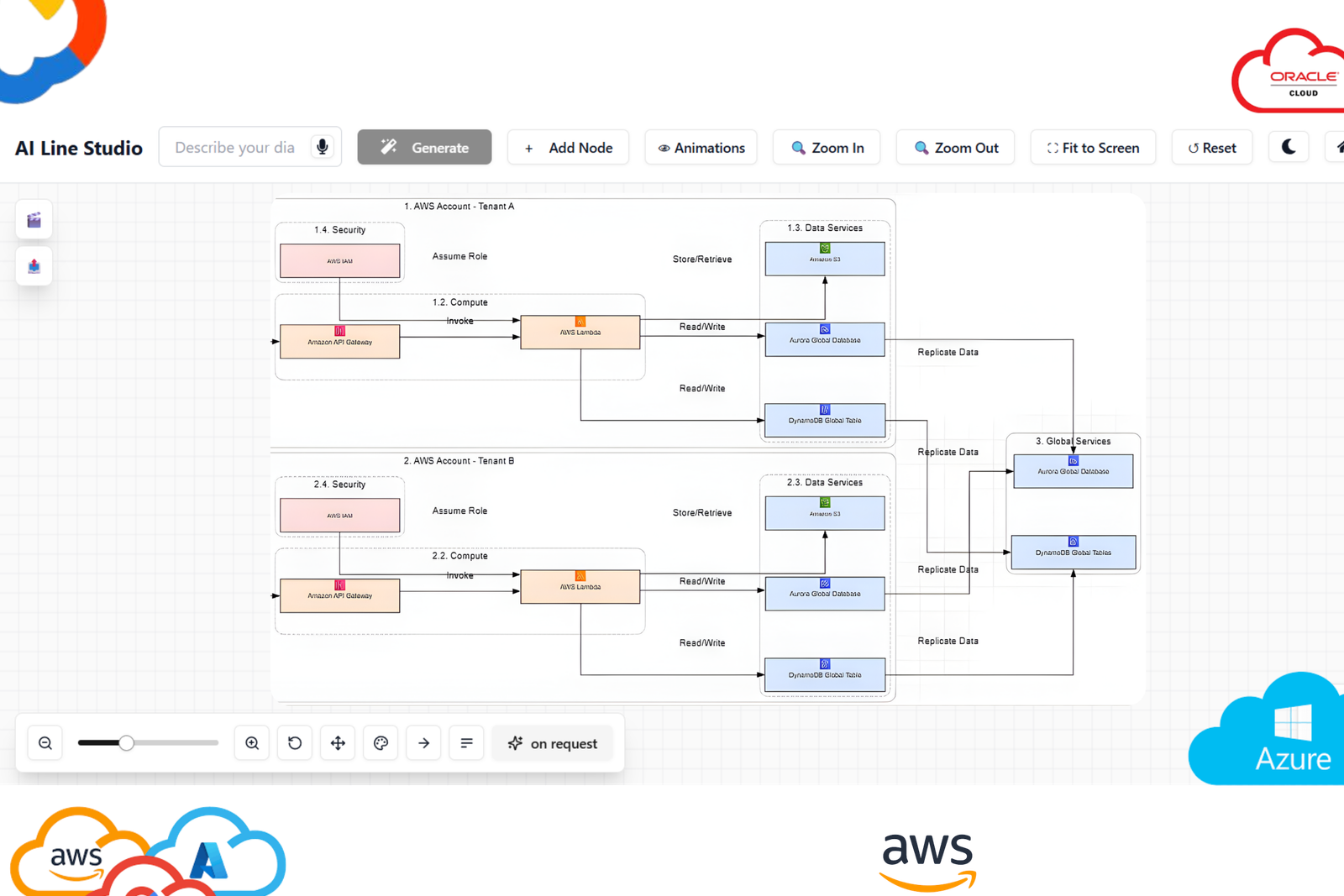
How to Visualize a Multi-Cloud Network Architecture
Complex network architectures are difficult to communicate through text alone.
A good diagram should show the important boundaries and traffic paths without attempting to display every configuration object.
At minimum, consider showing cloud providers, regions, VPCs/VNets, subnets, transit hubs, VPN or private connections, on-premises networks, firewalls, major applications, databases, and data flows.
                         Internet
                            │
                     Global DNS / CDN
                            │
             ┌──────────────┴──────────────┐
             │                             │
           AWS                           Azure
        us-east-1                      Central US
       ┌─────────┐                    ┌─────────┐
       │   VPC   │                    │   VNet  │
       │ Apps    │◄── Private ──────►│ Services│
       │ DB      │     Network        │ AI      │
       └────┬────┘                    └────┬────┘
            │                              │
            └────────────┬─────────────────┘
                         │
                       GCP
                    ┌─────────┐
                    │ VPC     │
                    │Analytics│
                    └─────────┘
                         │
                    On-Premises
The actual topology should reflect the real routing and connectivity design.
You can use a cloud architecture diagram generator to turn these network relationships into a clearer visual model.
Create a Multi-Cloud Network Diagram With AI
Traditional diagramming requires you to manually place cloud icons, create containers, connect networks, and maintain the layout.
An AI-assisted workflow starts with the architecture description.
For example:
Design a hybrid multi-cloud network connecting AWS production VPCs in us-east-1, Azure workloads in Central US, Google Cloud analytics workloads, and an on-premises data center. Use centralized transit, private connectivity, BGP routing, segmented production networks, centralized firewall inspection, and redundant connectivity.
The generated diagram can then serve as the initial architecture view.
The important distinction is: AI generates the visual starting point. Engineers validate the architecture.
AI should not determine critical routing, security, or availability decisions without technical review.
How AI Line Studio Fits Into Multi-Cloud Architecture
AI Line Studio can be useful when the problem is turning a multi-cloud architecture description into a visual starting point.
Instead of beginning with a blank canvas and manually searching for every AWS and Azure icon, you can begin with:
Architecture description → AI-generated diagram → Review → Refine
For example:
Create a multi-cloud architecture connecting AWS VPCs through Transit Gateway, Azure VNets through Virtual WAN, Google Cloud VPC networks through Network Connectivity Center, and an on-premises data center through redundant private connectivity. Show BGP routing, firewall inspection, private subnets, and application traffic flows.
The generated diagram should then be checked against the actual architecture requirements.
For AWS-specific diagrams, use the AWS architecture diagram generator.
For Azure architectures, use the Azure architecture diagram generator.
For Google Cloud architectures, use the GCP architecture diagram generator.
For broader systems spanning multiple providers, the AI architecture diagram generator is a better starting point.
AI-Generated Multi-Cloud Diagrams Still Need Review
A visually polished diagram does not necessarily represent a production-ready network.
Before approving an AI-generated architecture, verify networking (CIDR ranges, routing, BGP, transit architecture, NAT, DNS, regional connectivity), security (trust boundaries, firewall placement, private connectivity, IAM, network policies, internet exposure), reliability (redundant connections, failure domains, route failover, regional and provider failure), operations (monitoring, logging, alerting, configuration management, infrastructure-as-code), and cost (cross-cloud transfer, dedicated connectivity, NAT, firewall processing, regional traffic).
The diagram is a communication and design artifact. It is not proof that the underlying architecture is correct.
Common Multi-Cloud Networking Mistakes
Mistake 1: Connecting clouds without planning CIDRs
Overlapping address ranges can create serious routing problems. Plan IP space first.
Mistake 2: Building an uncontrolled network mesh
Directly connecting every VPC and VNet may work initially but becomes difficult to operate as the environment grows.
Mistake 3: Treating every cloud as identical
AWS, Azure, and Google Cloud have different networking primitives.
Design a consistent architecture model while respecting provider-specific capabilities.
Mistake 4: Ignoring DNS
Applications often depend on name resolution even when network routes are working correctly.
Mistake 5: Assuming connectivity equals security
A private connection does not mean every workload should be able to communicate with every other workload.
Mistake 6: Ignoring egress and transfer costs
Cross-cloud traffic can become expensive at scale.
Model the expected traffic before finalizing the architecture.
Mistake 7: Designing failover only on paper
A secondary VPN or private circuit is not enough.
Test the actual failover path.
Mistake 8: Maintaining one giant diagram
A multi-cloud architecture often needs multiple views: executive overview, logical network, deployment topology, security architecture, application traffic flow, and detailed connectivity.
Multi-Cloud Network Architecture Checklist
Before approving a design, verify:
Network
- CIDR ranges do not overlap
- Regions are documented
- VPCs/VNets/VPC networks are identified
- Transit architecture is documented
- Routing is defined
- BGP requirements are documented
- DNS architecture is defined
Connectivity
- VPN requirements are documented
- Private connectivity requirements are documented
- Redundant paths are evaluated
- Cross-cloud latency is understood
- Bandwidth requirements are understood
Security
- Network segmentation is defined
- Firewall inspection points are documented
- IAM boundaries are clear
- Internet-facing components are identified
- Encryption requirements are documented
Operations
- Monitoring exists across providers
- Logs are accessible
- Route changes are observable
- Failure scenarios are tested
- Infrastructure is managed as code where practical
Cost
- Cross-cloud transfer costs are evaluated
- Connectivity costs are evaluated
- Firewall processing costs are evaluated
- Regional traffic is understood
Design Your Multi-Cloud Network Architecture
Multi-cloud networking is not simply about drawing AWS, Azure, and Google Cloud next to each other.
A production architecture needs a deliberate approach to:
Connectivity → Routing → IP addressing → DNS → Security → Observability → Resilience → Cost
Start by mapping the existing networks and traffic flows.
Then determine which connectivity model fits each requirement, VPN, dedicated private connectivity, cloud exchange, or provider-native multi-cloud connectivity.
Finally, create separate architecture views for the audiences that need them.
If you want to turn a written multi-cloud architecture into a visual starting point, try the AI architecture diagram generator.
For AWS-specific network designs, use the AWS architecture diagram generator.
For broader cloud architecture work, the cloud architecture diagram generator can help visualize infrastructure across providers.
You can then refine and organize the architecture in the AI diagram workspace.
Design the network first. Visualize it clearly. Then validate it against the infrastructure you actually operate.
Frequently Asked Questions
Multi-cloud network architecture defines how applications, networks, data, and services communicate across multiple cloud providers such as AWS, Azure, and Google Cloud, often alongside on-premises infrastructure.