
Hub and Spoke Azure Diagram: Architecture, Components, Routing & Best Practices
A hub and spoke Azure diagram shows how a central Azure virtual network, called the hub, connects to multiple isolated virtual networks, called spokes. The hub typically contains shared networking, security, and connectivity services, while each spoke contains an individual workload or environment.
The pattern is widely used when organizations need to separate workloads while maintaining centralized control over connectivity and shared services.
Microsoft's current Azure networking guidance describes the hub as a central point of connectivity and spokes as isolated virtual networks that host workloads. Microsoft also notes that Azure VNet peering is nontransitive, which is an important consideration when designing spoke-to-spoke communication. See the Azure hub-and-spoke network topology.
This guide explains how the architecture works, what belongs in the hub and spokes, how routing and security work, when to use the pattern, how it relates to Azure landing zones and Virtual WAN, and how to create a clear Azure hub-and-spoke architecture diagram.
Cloud Architecture
Create cloud architecture diagrams for AWS, Azure, GCP, and more. Design scalable infrastructure with professional cloud icons.
Learn how Azure hub-and-spoke architecture works with diagrams, VNets, Azure Firewall, VPN Gateway, ExpressRoute, routing, security, landing zones, and best practices.
Click Cloud Architecture to open AI Line Studio and generate diagrams from natural language in seconds.
What Is an Azure Hub-and-Spoke Architecture?
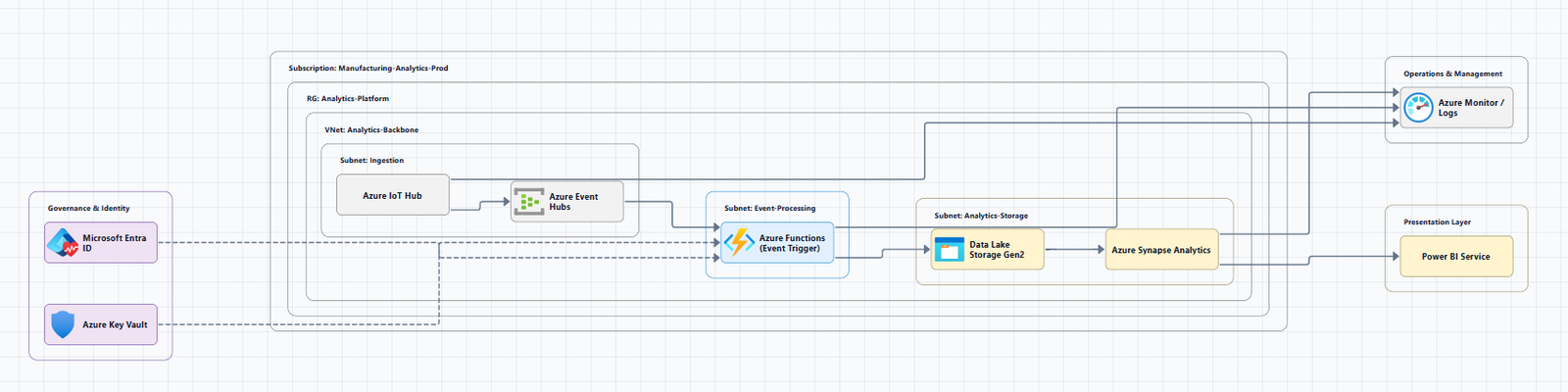
An Azure hub-and-spoke architecture is a network topology in which a central hub virtual network provides shared connectivity and services to multiple spoke virtual networks.
The basic model is:
- Hub: Central networking and shared services
- Spokes: Isolated workload networks
- Peering: Connects each spoke to the hub
- Centralized services: Security, connectivity, DNS, and management can be placed in the hub
- Workloads: Applications and environments live in the spokes
Microsoft's current hub-and-spoke guidance identifies shared services such as firewalls, gateways, and Bastion as common hub components, while spokes can host individual workloads, teams, or isolated services.
Simple Azure hub-and-spoke diagram
graph TB
    Internet[Internet]

    subgraph Hub["Hub VNet"]
        Firewall[Azure Firewall]
        Bastion[Azure Bastion]
        VPN[VPN Gateway]
        Shared[Shared Services]
    end

    subgraph Spoke1["Production Spoke"]
        Prod[Production Workloads]
    end

    subgraph Spoke2["Development Spoke"]
        Dev[Development Workloads]
    end

    subgraph Spoke3["Data Spoke"]
        Data[Data Services]
    end

    Internet --> Firewall
    VPN --> Hub
    Hub --> Spoke1
    Hub --> Spoke2
    Hub --> Spoke3
The diagram is conceptual. A production design should add the specific routing, security, DNS, connectivity, and workload components required by the environment.
Hub vs. Spoke: What's the Difference?
| Area | Hub | Spoke |
|---|---|---|
| Primary purpose | Central connectivity and shared services | Host workloads |
| Azure VNet | Yes | Yes |
| Firewall | Commonly centralized | Usually not duplicated unnecessarily |
| VPN Gateway | Commonly centralized | Optional |
| ExpressRoute Gateway | Commonly centralized | Optional |
| Azure Bastion | Commonly centralized | Depends on design |
| Shared DNS | Often centralized | Consumes shared service |
| Application workloads | Usually limited | Primary purpose |
| Environment isolation | Central control | Strong isolation |
| Subscription | Can have dedicated connectivity subscription | Often workload subscription |
| VNet peering | Peered with spokes | Peered with hub |
Microsoft's Azure landing zone guidance commonly places the centralized hub/network resources in a Connectivity subscription while workload spokes exist in individual application landing-zone subscriptions. See Azure landing zones and Azure hub-spoke network topology guidance.
What Goes in the Azure Hub?
The hub should contain services that need to be shared or centrally controlled.
Azure Firewall
Azure Firewall can provide centralized network traffic inspection and policy enforcement. In a hub-and-spoke architecture, outbound traffic from spokes can be routed through the hub firewall when centralized inspection is required.
VPN Gateway
VPN Gateway can provide connectivity between Azure and on-premises networks using VPN connections: Corporate Network → IPsec VPN → VPN Gateway → Hub VNet → Spoke A / Spoke B.
ExpressRoute
ExpressRoute provides private connectivity between on-premises environments and Azure: Corporate Data Center → ExpressRoute → Hub VNet → Azure Firewall → Spoke A / Spoke B.
Azure Bastion
Azure Bastion provides managed RDP and SSH access to virtual machines without requiring those VMs to expose public IP addresses. Microsoft includes Bastion as a common component in its hub-and-spoke reference architecture.
Shared DNS and security services
Centralized DNS services can be useful when multiple spokes need consistent name resolution, especially in hybrid environments and architectures using private endpoints.
Depending on the architecture, centralized security services can include Azure Firewall, network security controls, security monitoring, central logging, policy enforcement, and private connectivity. The exact services should be selected according to the organization's security and network requirements.
What Goes in an Azure Spoke?
A spoke normally contains a specific workload or environment, production application, development or testing environment, data platform, analytics workload, Kubernetes cluster, internal business application, customer-facing application, or shared application platform.
The advantage is that each workload can have its own address space, resources, policies, and ownership model while still consuming centralized services.
Azure Hub and Spoke Diagram Example
Consider an organization with production workloads, development workloads, centralized security, on-premises connectivity, shared DNS, and centralized monitoring:
graph TB
    OnPrem[On-Premises Network]

    subgraph Hub["Azure Hub VNet"]
        VPN[VPN Gateway]
        ER[ExpressRoute]
        Firewall[Azure Firewall]
        Bastion[Azure Bastion]
        DNS[Shared DNS]
    end

    subgraph Prod["Production Spoke"]
        ProdApp[Production Application]
        ProdDB[Production Database]
    end

    subgraph Dev["Development Spoke"]
        DevApp[Development Application]
        DevDB[Development Database]
    end

    subgraph Data["Data Spoke"]
        DataPlatform[Data Platform]
    end

    OnPrem --> VPN
    OnPrem --> ER

    VPN --> Hub
    ER --> Hub

    Hub --> Firewall
    Hub --> DNS

    Firewall --> Prod
    Firewall --> Dev
    Firewall --> Data

    ProdApp --> ProdDB
    DevApp --> DevDB
This model separates environments while allowing centralized connectivity and security.
How Azure Hub-and-Spoke Routing Works
Routing is one of the most important parts of a hub-and-spoke design.
A common misconception is that connecting spokes to a hub automatically makes every spoke reachable from every other spoke. It does not.
Azure VNet peering is nontransitive. If Spoke A is peered with the Hub and Spoke B is also peered with the Hub, that does not automatically create a direct network path between Spoke A and Spoke B. Microsoft explicitly calls out this limitation in its current hub-and-spoke networking guidance.
When spokes need to communicate
You may need an explicit routing design: Spoke A → Hub Firewall / Router → Spoke B. This can be implemented using appropriate routing and network security controls.
Microsoft's guidance discusses using user-defined routes and Azure Firewall or another network virtual appliance when traffic needs to be directed through centralized controls.
Hub-to-Spoke Traffic
Hub-to-spoke traffic generally occurs when a centralized service needs to communicate with a workload, hub firewall inspecting traffic, shared DNS resolving spoke resources, management services accessing workloads, central monitoring, or shared identity or security services.
Spoke-to-Spoke Traffic
Spoke-to-spoke connectivity requires particular attention. Spoke A, Hub, Spoke B does not automatically mean that traffic can transit from A to B.
This is particularly important when applications communicate across spokes, shared databases exist in another spoke, centralized security inspection is required, multiple environments need selective connectivity, or hybrid connectivity is involved.
Microsoft's current hub-and-spoke guidance identifies several approaches for advanced scenarios, including direct peering and routing through centralized network infrastructure.
Internet Traffic in an Azure Hub-and-Spoke Architecture
A common enterprise requirement is centralized outbound internet inspection:
Spoke Workload
      |
      v
User-Defined Route
      |
      v
Azure Firewall
      |
      v
Internet
This allows the organization to apply centralized network security policies. Microsoft's reference architecture specifically describes routing outbound traffic through hub security controls such as Azure Firewall.
For an architecture diagram, make this flow obvious rather than simply placing a firewall icon in the hub. Show Spoke → Forced / controlled route → Azure Firewall → Internet.
Azure Hub-and-Spoke With On-Premises Connectivity
One of the most common reasons to use hub-and-spoke is centralized hybrid connectivity. The hub acts as the central connectivity point for VPN and ExpressRoute into Azure Firewall and then to Spoke A, B, and C.
Microsoft documents VPN Gateway and ExpressRoute as common mechanisms for connecting on-premises environments to Azure hub-and-spoke architectures.
Azure Hub-and-Spoke With Azure Firewall
graph LR
    Internet[Internet] --> Firewall[Azure Firewall]

    subgraph Hub["Hub VNet"]
        Firewall
        VPN[VPN Gateway]
        Shared[Shared Services]
    end

    subgraph Prod["Production Spoke"]
        ProdApp[Production App]
    end

    subgraph Dev["Development Spoke"]
        DevApp[Development App]
    end

    Firewall --> ProdApp
    Firewall --> DevApp
The firewall can be used to inspect and control traffic according to the organization's requirements. Do not assume every hub-and-spoke deployment needs identical firewall routing. The routing model should be designed based on traffic flows, security requirements, and operational constraints.
Azure Hub-and-Spoke With VPN Gateway
For organizations connecting an on-premises network through VPN: On-Premises → IPsec VPN → VPN Gateway → Hub → Spoke A / Spoke B.
The hub centralizes the VPN connectivity rather than requiring each workload network to independently maintain its own cross-premises gateway.
Azure Hub-and-Spoke With ExpressRoute
For private enterprise connectivity: Enterprise Data Center → ExpressRoute → Azure Hub → Azure Firewall → Spoke A / Spoke B.
ExpressRoute can be appropriate when an organization needs private connectivity between its network and Azure. The final architecture should account for the specific ExpressRoute, gateway, routing, and regional requirements of the environment.
Azure Hub-and-Spoke With Private Link
Private Link can be used to provide private access to supported Azure services from virtual networks. This becomes particularly relevant when PaaS resources should be accessed privately from workloads.
                 HUB
                  |
             Shared DNS
                  |
          +-------+-------+
          |               |
       Spoke A          Spoke B
          |               |
          +-------+-------+
                  |
            Private Endpoint
                  |
             Azure PaaS
Microsoft has dedicated guidance for using Azure Private Link and private endpoints within hub-and-spoke network designs.
Azure Hub-and-Spoke and Landing Zones
Hub-and-spoke architecture is closely associated with Azure landing zones. Microsoft's current landing-zone guidance provides both hub-and-spoke and Virtual WAN networking options.
A simplified landing-zone model separates Azure Tenant → Management Groups → Platform / Connectivity (Hub VNet with security, DNS, connectivity) and Application landing zones (Production and Dev spokes).
A common model separates central platform services, connectivity, identity, management, and security from individual workload subscriptions. Microsoft describes a landing-zone approach where centralized platform teams manage hub networking while workload teams own their application landing-zone subscriptions and spokes.
Azure Hub-and-Spoke Subscription Design
A hub and spoke topology does not require everything to live in one subscription.
For enterprise environments, a common approach is a Connectivity Subscription hosting the Hub VNet, with Application Subscription A (Production Spoke) and Application Subscription B (Development Spoke) peered to the hub.
Microsoft notes that hub and spoke VNets can be placed in different resource groups and subscriptions, which supports decentralized workload ownership while maintaining shared connectivity services.
Hub-and-Spoke Network Diagram: What to Include
When you create a hub and spoke Azure diagram, include components based on the question the diagram needs to answer.
- Basic diagram: Hub VNet, Spoke VNets, VNet peering, workloads
- Security-focused: Azure Firewall, NSGs, WAF where relevant, private endpoints, security boundaries
- Hybrid architecture: On-premises network, VPN Gateway, ExpressRoute, routing, firewall
- Landing-zone diagram: Management groups, Connectivity subscription, Identity, Management, Security, Application subscriptions, Workload spokes
- Advanced enterprise: Multiple regions, multiple hubs, Virtual WAN, DNS, Private Link, SD-WAN, Azure Virtual Network Manager
Avoid putting all of these into one diagram unless the audience actually needs them.
How to Create a Hub and Spoke Azure Diagram
- Define the network boundary, Region, subscription, hub VNet, spoke VNets. Do not begin with individual VMs or application components.
- Design the hub, Azure Firewall, VPN Gateway, Azure Bastion, Shared DNS, Management / monitoring. Only include services that are actually part of the architecture.
- Add the spokes, One spoke for each logical workload or environment (Production, Development, Data, Analytics).
- Connect spokes to the hub, Represent VNet peering clearly. Label the relationship if the diagram needs to distinguish peering from routed traffic.
- Add routing, Which traffic goes through the hub? Does spoke-to-spoke traffic need centralized inspection? Does internet egress go through Azure Firewall? Are UDRs required?
- Add hybrid connectivity, On-Premises → VPN / ExpressRoute → Hub only when required.
- Add security controls, Firewall, NSGs, private endpoints, Bastion, identity, WAF only when they matter.
- Review address spaces, Ensure VNet address spaces do not overlap. Microsoft explicitly calls out IP address planning as a prerequisite for hub-and-spoke design.
Azure Hub-and-Spoke Best Practices
- Plan IP addressing before creating VNets, Leave room for future spokes, additional subnets, regional expansion, hybrid connectivity, peering, and network appliances.
- Keep shared services centralized where appropriate, Firewall, connectivity, DNS, Bastion, network management. Do not route every workload through unnecessary infrastructure.
- Design spoke isolation intentionally, Production ≠ Development; Finance ≠ HR; Customer-facing ≠ Internal.
- Treat routing as a first-class architecture decision, Explicitly determine hub-to-spoke, spoke-to-hub, spoke-to-spoke, internet, on-premises, and cross-region traffic.
- Centralize security when it makes operational sense, Evaluate latency, throughput, cost, failure domains, routing complexity, and regional requirements.
- Use multiple diagrams for complex environments, Topology, network, routing, security, landing-zone, and application architecture diagrams.
- Separate platform and workload ownership, Platform Team manages Connectivity / Hub; Workload Teams own their spokes. This aligns with Azure landing-zone models.
Azure Hub-and-Spoke vs Azure Virtual WAN
Traditional hub-and-spoke uses customer-managed virtual network infrastructure as the hub. Azure Virtual WAN provides Microsoft-managed hub infrastructure and managed routing.
Microsoft's current networking documentation describes Virtual WAN as a scale-oriented option for organizations needing managed transit across many branches, sites, regions, or connected VNets. See also Azure Virtual WAN hub-spoke architecture guidance.
| Factor | Traditional Hub-and-Spoke | Azure Virtual WAN |
|---|---|---|
| Hub infrastructure | Customer-managed VNet | Microsoft-managed virtual hub |
| Routing | More customer-managed | More managed |
| VNet connectivity | VNet peering | Virtual WAN connections |
| Hybrid connectivity | VPN / ExpressRoute | Integrated VPN / ExpressRoute |
| Custom control | High | More managed |
| Large branch environments | Can become operationally complex | Designed for large-scale transit |
| Multi-region transit | Requires more design | Built-in global transit capabilities |
| Best fit | Controlled enterprise network topology | Large-scale managed connectivity |
When traditional hub-and-spoke makes sense
Consider traditional hub-and-spoke when you have a manageable number of VNets, need strong control over the network architecture, centralized security is important, routing requirements are well understood, or your organization is building a landing-zone network around customer-managed VNets.
When Virtual WAN deserves consideration
Consider Virtual WAN when you have many branches, need multi-region transit, need managed routing, have significant SD-WAN requirements, or want Microsoft-managed hub infrastructure.
Azure Hub-and-Spoke Architecture Diagram With Terraform
Hub-and-spoke architectures can also be deployed using infrastructure as code. A Terraform-oriented workflow might deploy resource groups, hub VNet (Firewall, VPN Gateway, Bastion), spoke VNets (Production, Development, Data), VNet peerings, route tables / UDRs, and security rules.
Microsoft provides an official Hub-spoke with Terraform tutorial for creating a hub-and-spoke hybrid network topology in Azure.
Microsoft also provides a current hub-and-spoke deployment sample that can deploy VNets, Azure Firewall, Bastion, optional VPN Gateway, and sample workloads.
For production environments, infrastructure as code should be designed alongside the network architecture rather than treating the diagram and deployment code as unrelated artifacts. For multi-service cloud designs around this topology, an AI cloud architecture diagram generator can help visualize the broader architecture.
Common Azure Hub-and-Spoke Diagram Mistakes
- Treating the hub as a generic "cloud box", Show Firewall, VPN Gateway, DNS, and Bastion explicitly.
- Assuming VNet peering is transitive, Spoke A ↔ Hub ↔ Spoke B does not automatically provide transitive connectivity.
- Forgetting address-space planning, Overlapping CIDR ranges create serious networking problems.
- Showing a firewall without showing traffic flow, Show where traffic enters, where it is inspected, and where it goes next.
- Making every spoke identical, Production, development, data, and analytics may have very different requirements.
- Mixing Virtual WAN and traditional hub-and-spoke terminology, A Microsoft-managed Virtual WAN hub and a customer-managed hub VNet are not the same.
- Creating one giant enterprise diagram, Create layered diagrams instead of packing every subnet, VM, NSG, route, and database into one image.
How to Create a Hub and Spoke Azure Diagram With AI
AI can be useful for producing the first architecture visualization from a natural-language description, for example, a hub with Azure Firewall, Bastion, VPN Gateway, shared DNS, and monitoring; three spokes for Production, Development, and Data; VNet peering; on-premises connectivity through VPN Gateway; and internet egress through Azure Firewall.
A useful AI-generated diagram should then be reviewed for correct network topology, VNet relationships, routing assumptions, security controls, traffic flow, address-space planning, hybrid connectivity, and service placement.
For this workflow, an Azure diagram generator can provide a starting point for visualizing Azure architectures.
For broader system and cloud architecture work, an AI architecture diagram generator can be useful when the architecture extends beyond a single Azure networking pattern. Refine layouts in the AI canvas when you need precise visual editing.
Hub and Spoke Azure Diagram Checklist
Architecture
- Hub VNet is clearly identified
- Each spoke has a defined purpose
- Workload boundaries are clear
- Shared services are identified
- Subscription boundaries are shown where relevant
Networking
- VNet address spaces are planned
- Spoke-to-hub connections are clear
- Routing paths and spoke-to-spoke connectivity are explicitly designed
- Internet ingress and egress are clear
- Hybrid connectivity is represented when required
Security & Hybrid
- Azure Firewall placement and inspection paths are clear
- NSGs and private connectivity are represented where relevant
- Bastion is shown if used
- VPN Gateway and ExpressRoute are shown if used
- On-premises network and cross-premises routing are understandable
Diagram quality
- No unnecessary services
- Arrows have clear meanings and labels are readable
- Network boundaries are visible with a logical flow
- Separate detailed diagrams exist when needed
Conclusion
A hub and spoke Azure diagram is most useful when it communicates more than the fact that several VNets are connected.
It should make the architecture's boundaries, connectivity, routing, security, shared services, and workload isolation easy to understand.
The most important design decision is not how the diagram looks. It is why traffic is allowed to move between each network and where security and connectivity controls are enforced.
For smaller or moderately complex enterprise environments, traditional hub-and-spoke can provide a clear separation between centralized network services and workload VNets. For larger environments with extensive branch, multi-region, or managed-transit requirements, Azure Virtual WAN may be a better fit. Microsoft's current guidance treats these as distinct architectural choices.
Once the architecture is defined, you can use an Azure diagram generator to create Azure architecture diagrams as a visual starting point, then review and refine the resulting diagram against the actual Azure implementation.
Frequently Asked Questions
A hub and spoke Azure diagram visually represents a network architecture in which a central hub VNet provides connectivity and shared services to multiple spoke VNets. The spokes generally host isolated workloads or environments.